WordPress Public Administrator Registration — Full Account Takeover
Exploiting a critical WordPress misconfiguration where the default registration role was set to Administrator, granting any anonymous user full control over the entire WordPress instance.
WordPress Public Administrator Registration — Full Account Takeover
Overview
During reconnaissance on a target's assets, I discovered that their main WordPress instance at www.target.com had public user registration enabled with a critical misconfiguration: the default role for new users was set to Administrator. This meant that any anonymous internet user could register an account and instantly gain full Administrator privileges, including the ability to manage all users, modify content, install plugins, and effectively take over the entire WordPress site.
Vulnerability Type: Broken Access Control / Privilege Escalation
Affected Asset:www.target.com
Severity: Critical
Status: Disclosed, Fixed and bounty rewarded.
Reconnaissance
While enumerating the target's web assets, I identified their main website as a WordPress instance. Standard WordPress fingerprinting confirmed the CMS version and revealed that the default registration endpoint was publicly accessible:
https://www.target.com/wp-login.php?action=register
The fact that registration was open on a corporate production site was already a red flag — but the real issue was far worse than simple open registration.
Steps to Reproduce
Step 1: Discover Open Registration
Navigate to the WordPress login page and locate the registration link. The registration form was publicly accessible at:
https://www.target.com/wp-login.php?action=register
The form accepted any username and email address with no restrictions, CAPTCHA, or domain validation.
Step 2: Register an Account
Fill out the registration form with a username and email address, then submit it. A WordPress confirmation email is sent immediately containing a link to set your password.
Step 3: Set Password and Log In
Click the confirmation link in the email to set a password, then log in at:
https://www.target.com/wp-login.php
Step 4: Confirm Administrator Access
Upon logging in, instead of being directed to a subscriber-level profile page, you are redirected to the full WordPress admin dashboard (/wp-admin/) with Administrator privileges.
This immediately confirms the misconfiguration — the WordPress setting Settings → General → New User Default Role was set to Administrator instead of the default Subscriber.
Step 5: Enumerate and Control All Users
With Administrator access, navigate to the Users directory at:
https://www.target.com/wp-admin/users.php
As an Administrator, you now have full control over all existing user accounts, including the ability to:
- View all users — including other administrators, editors, and high-profile accounts (e.g., the General Manager's account)
- Edit any user — modify email addresses, passwords, and roles
- Delete any user — remove legitimate administrator accounts
- Reset passwords — take over any account by forcing a password reset
- Create new admin accounts — establish persistent backdoor access
Step 6: Full Site Compromise
Beyond user management, Administrator access grants the ability to:
# Install malicious plugins (Remote Code Execution)
/wp-admin/plugin-install.php

# Edit theme files directly (Webshell injection)
/wp-admin/theme-editor.php

# Modify site settings
/wp-admin/options-general.php

# Access sensitive configuration
/wp-admin/options.php
This effectively constitutes a full site takeover — from a single registration form.
Impact
This vulnerability is Critical severity because it allows any anonymous user to:
- Gain full Administrator access with zero authentication barriers
- Take over all existing accounts including other administrators and the General Manager's account
- Achieve Remote Code Execution via malicious plugin upload or theme editor modification
- Deface the website by modifying pages, posts, and site settings
- Establish persistence by creating hidden admin accounts or installing backdoors
- Access sensitive data including user PII, internal content, and database credentials
The attack requires zero technical skill — only a web browser and an email address.
Root Cause
The vulnerability stems from a single WordPress configuration setting:
Settings → General → New User Default Role → Administrator
WordPress defaults this value to Subscriber (the lowest privilege role). This was manually changed to Administrator, likely by mistake during initial setup or a configuration change that was never reverted.
Remediation Recommendations
| # | Recommendation |
|---|---|
| 1 | Immediately change the default role back to Subscriber under Settings → General → New User Default Role |
| 2 | Disable public registration entirely if not required (Settings → General → Anyone can register → unchecked) |
| 3 | Audit all user accounts — remove any unauthorized admin accounts that may have been created |
| 4 | Review WordPress activity logs for unauthorized access or changes |
| 5 | Implement registration restrictions — require email domain validation, CAPTCHA, or admin approval for new accounts |
| 6 | Rotate all credentials — change all admin passwords and regenerate WordPress security keys |
Tools Used
- Firefox (with DevTools)
- Manual browsing & enumeration
Timeline
| Date | Event |
|---|---|
| Aug 16, 2025 | Vulnerability discovered and reported |
| — | Vendor acknowledged and patched |
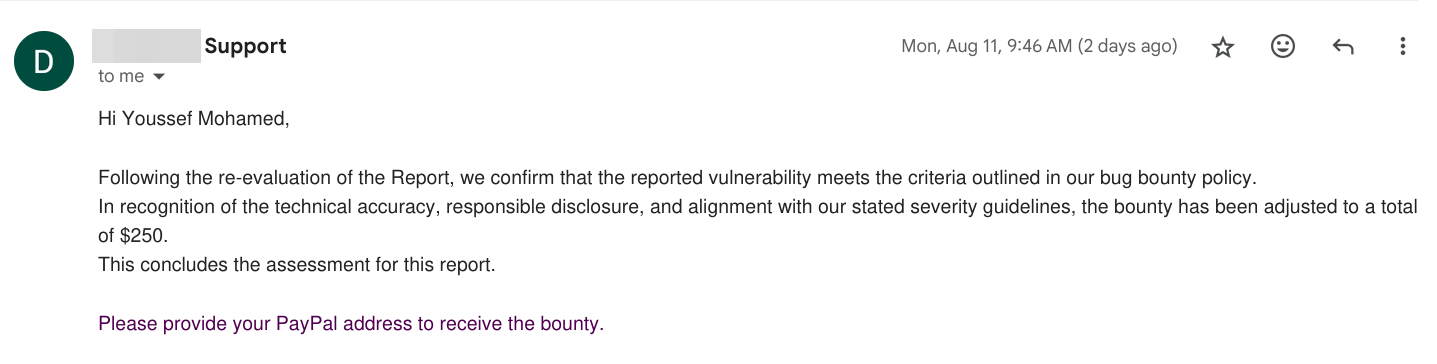 Vendor confirmation of bounty reward for the disclosed vulnerability
Key Takeaways
- Always verify the default user role — a single dropdown set to "Administrator" instead of "Subscriber" can lead to full site compromise
- WordPress misconfigurations are among the most common and devastating vulnerabilities in the wild
- Open registration + elevated default role = instant takeover — these two settings should never be combined
- Even non-technical attackers can exploit this vulnerability — the attack requires nothing more than filling out a registration form
- Regular configuration audits are essential, especially after WordPress updates or administrative changes