Improper Team Membership Revocation — Removed Admins Regain Full Access
Removing an Account Admin from a team only revokes the active session but fails to delete the persistent membership record, allowing the removed admin to regain full team access simply by logging back in.
Improper Team Membership Revocation — Removed Admins Regain Full Access
Overview
On a target's team management panel, removing a user who holds the Account Admin role does not reliably revoke their access. The removed admin is force-logged-out of their active session, giving the appearance that access has been revoked, but upon re-authentication they are frequently restored to the same team with their Account Admin role and permissions fully intact — without any re-invitation from a current team member. This was tested with a delay of 15 minutes between removal and re-login, ruling out simple replication/cache lag as the cause.
Vulnerability Type: Improper Access Control (CWE-284) / Insufficient Session Expiration (CWE-613)
Affected Asset: Team management panel
Severity: High
Status: Disclosed
Reconnaissance
The target application provides a team management interface where users can invite members, assign roles (including Account Admin), and remove team members. The Account Admin role is the highest-privilege role, granting control over billing, integrations, other members' roles, and account-wide settings.
The key question during testing was: does the "Remove Member" action actually delete the membership record, or does it only invalidate the current session?
Steps to Reproduce
Step 1: Set Up the Team
Create a team on the target application's team management panel and ensure a user (User A) has been assigned the Account Admin role.
Step 2: Add a Second Admin
Invite a second user (User B) to the team with sufficient privileges to remove other team members.
Step 3: Remove User A from the Team
As User B, navigate to the team management panel and remove User A from the team using the standard removal workflow.
Step 4: Verify Removal Appears Successful
Refresh User A's browser session. Observe that User A is signed out — the active session has been invalidated, and the removal appears to have worked.
Step 5: Wait and Re-Authenticate
Wait 15 minutes to rule out replication lag or caching issues. Then log back into User A's account normally:
- No invite link used
- No re-authorization action taken by any team member
- Standard login flow only
Step 6: Observe — Access is Restored
After logging in, User A is back inside the same team, still holding the Account Admin role with all permissions fully intact.
Step 7: Confirm Bidirectional Reproducibility
This behavior is reproducible bidirectionally:
- A removes B → B re-logs in and is restored
- B removes A → A re-logs in and is restored
Both directions were confirmed to persist after a 15-minute wait between removal and re-login.
Root Cause Analysis
The removal action revokes the active session/token but does not reliably delete the persistent membership/role record tied to the account. On re-login, the application restores team access from this stale record.
The behavior was not fully consistent across every trial, which suggests one of the following:
- The removal endpoint does not reliably delete the membership record on the backend
- A stale JWT claim, cached session state, or secondary sync source re-grants access after a legitimate removal
- An SSO/IdP group sync or invite token reuse mechanism overrides the deletion
This distinction was not isolated during testing and requires server-side log analysis to confirm the exact failure point.
Impact
This vulnerability makes the "Remove Member" control ineffective for the highest-privilege role on a team. An Account Admin removed for legitimate reasons can regain full administrative control simply by logging back in, bypassing the removal workflow entirely.
Scenarios where this is critical:
| Scenario | Risk |
|---|---|
| Employee offboarding | Terminated employee retains full admin access to production systems |
| Policy violation | User removed for misuse can immediately re-enter and continue |
| Suspected compromise | Compromised admin account cannot be effectively locked out |
| Ownership dispute | Removed party can regain control over billing, integrations, and settings |
What a restored Account Admin can do:
- Manage billing and payment information
- Control integrations and API keys
- Modify other members' roles and permissions
- Change account-wide settings
- Remove the admin who tried to remove them
Severity Assessment
| Factor | Assessment |
|---|---|
| Attack Complexity | Low — no special tooling required, just re-authenticate |
| Privileges Required | Must have once been a legitimate admin (no escalation from zero) |
| User Interaction | None — the removed user acts alone |
| Confidentiality Impact | High — full access to account data and settings |
| Integrity Impact | High — can modify team membership, settings, and integrations |
| Overall Severity | High |
Remediation Recommendations
| # | Recommendation |
|---|---|
| 1 | Verify database-level deletion — confirm the membership row is actually deleted when a user is removed, not just soft-deleted or flagged |
| 2 | Fix the removal endpoint — ensure it deletes the membership record synchronously and returns only after confirmed deletion |
| 3 | Audit all access restoration paths — check JWT claims, SSO/IdP group sync, invite token reuse, and cached session state for any mechanism that re-grants access from stale data |
| 4 | Invalidate all tokens on removal — revoke not just the active session but all refresh tokens, API keys, and stored credentials associated with the removed user |
| 5 | Add removal verification — after removing a user, verify on the next authentication attempt that no membership record exists before granting team access |
Tools Used
- Firefox (with DevTools)
- Manual testing with two accounts
- 15-minute delay testing to rule out cache/replication lag
Timeline
| Date | Event |
|---|---|
| July 31, 2026 | Vulnerability discovered and reported |
| Aug 4, 2026 | Vendor acknowledged |
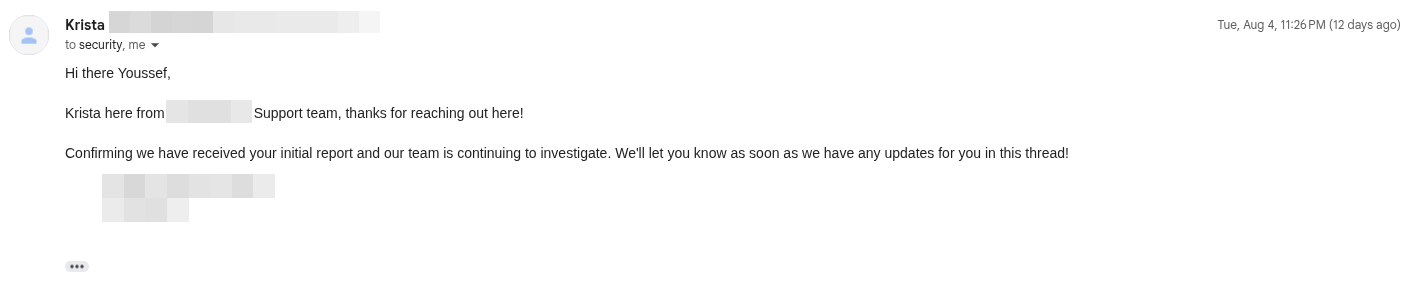 Vendor acknowledgment confirming receipt of the security report
Key Takeaways
- Session invalidation ≠ access revocation — killing an active session is not the same as revoking the underlying permission. Both must happen atomically
- Always test "remove user" functionality by re-authenticating after removal — many applications only test that the session ends, not that re-login is blocked
- Bidirectional testing is essential — a bug that only manifests in one direction may indicate a race condition or role-specific logic flaw
- Time-delayed retesting (e.g., waiting 15 minutes) helps distinguish between genuine access revocation failures and transient cache/replication issues
- The highest-privilege roles deserve the most rigorous revocation testing, as the blast radius of a failure is the entire account